How to Troubleshoot Oligo Pool Dropout, Uniformity, and Cloning Failures
Use this page when a pool comes back skewed, missing sequences, or hard to clone. Return to the main oligo pool guide when the problem points back to design rules, synthesis-method choice, QC expectations, or vendor review. It covers the most common failure patterns, likely causes, and next diagnostic stepsso you can document the evidence before deciding whether to reorder or redesign the pool.
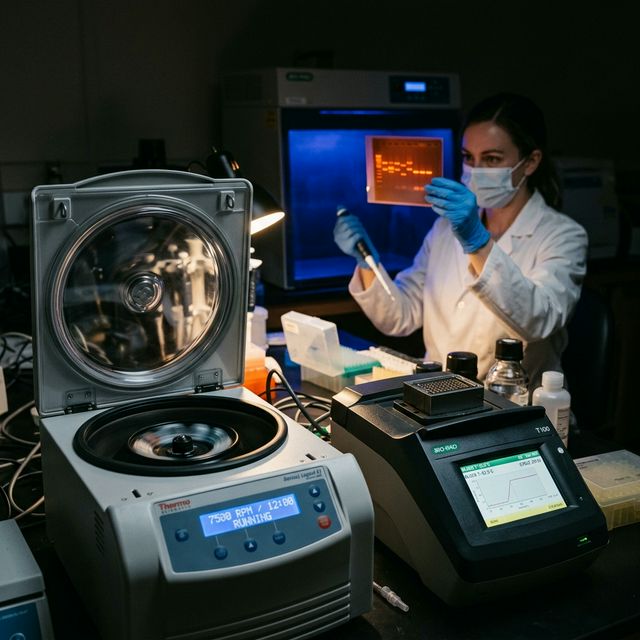
Diagnosing pool amplification dropouts and uniformity failures.
Failure Patterns and Diagnostic Checks
High or unexplained dropout
Symptoms
Designed oligos are missing or represented below the level expected from the project's sequencing and filtering plan.
Possible Contributors
- •Sequence features or construct design may bias synthesis, amplification, capture, or mapping
- •The selected product tier or pool configuration may not match the project manifest
- •Read depth, filtering, or the comparison denominator may not support the conclusion
Next Diagnostic Checks
- ✓Compare pre- and post-amplification material when available and document the read-count denominator
- ✓Screen the manifest with Batch QC and inspect flagged GC, length, homopolymer, and structure results as review signals
- ✓Confirm the vendor product, QC report scope, and sequencing plan before changing the pool
Poor or changing uniformity
Symptoms
Read counts vary more than the project expects, or the distribution changes after amplification or another processing step.
Possible Contributors
- •Length, GC, structure, or handle differences can affect representation
- •PCR and library preparation can introduce additional bias
- •The Gini or other summary metric may use a denominator or filtering rule that needs review
Next Diagnostic Checks
- ✓Compare the same metric and denominator before and after each processing step
- ✓Use the Uniformity Estimator only to model scenarios and document its assumptions
- ✓Review the amplification protocol and current vendor or assay guidance before setting a cycle or polymerase target
Low or unexpected sequence accuracy
Symptoms
Mismatch, insertion, or deletion observations differ from the project's acceptance criteria.
Possible Contributors
- •The reported metric may combine different read filters, sequence lengths, or QC endpoints
- •Longer or difficult sequences may have different synthesis or amplification behavior
- •The selected product tier, purification, or downstream correction workflow may differ from the comparison assumption
Next Diagnostic Checks
- ✓Record the metric definition, read filters, sequence-length denominator, and QC source before comparing results
- ✓Use the Error Rate Calculator for a stated planning assumption only, not as a vendor performance claim
- ✓Reopen vendor and protocol review when the selected product or QC deliverables do not match the acceptance criteria
Amplification bias after PCR
Symptoms
The pool distribution changes after amplification, with some sequence groups becoming over- or under-represented.
Possible Contributors
- •Cycle number, polymerase, template amount, and reaction conditions can all affect bias
- •Primer binding or handle differences may change amplification efficiency
- •A Tm result is a screening input and does not by itself validate a PCR protocol
Next Diagnostic Checks
- ✓Compare material before and after amplification when possible
- ✓Follow the current polymerase and assay protocol, then optimize empirically if needed
- ✓Use the Tm Calculator to compare stated primer conditions; do not treat a generic Tm window as a protocol guarantee
Cloning Failure (Low Colony Count)
Symptoms
Few or no colonies after transformation, or an insert-size result that differs from the assembly plan.
Possible Contributors
- •Restriction-digest completeness or cleanup may need review
- •Ligation or assembly conditions may not match the current protocol
- •The amplified pool identity or purification record may be incomplete
Next Diagnostic Checks
- ✓Check the current vector, enzyme, and assembly protocol for digestion and cleanup requirements
- ✓Review the documented DNA:vector ratio and reaction conditions before changing them
- ✓Confirm amplified-pool identity and purification before repeating the assembly
Cross-Contamination Between Sub-Pools
Symptoms
Oligos from one sub-pool detected in another, or unexpected sequences in verification.
Possible Contributors
- •Washing, transfer, or handling records may not match the sub-pool workflow
- •PCR primer cross-reactivity or index assignment may need review
- •Sample identity may have been lost during handling
Next Diagnostic Checks
- ✓Review sample handling, primer identity, and the sub-pool map against the order and assay records
- ✓Verify sub-pool identity with the project's validated assay before amplification
- ✓Contact the vendor when contamination is systematic and provide the manifest and QC evidence
Checklist Before You Re-Order
- □Run Batch QC on the sequences you plan to screen before ordering, when those checks match the project criteria
- □Record the designed length, GC, repeat, and structure criteria for the project
- □Review Batch QC flags against the assay and vendor documentation
- □Check secondary-structure output, including any 3′ pairing signal, in context
- □Include the positive and negative controls required by the assay
- □Use the polymerase and reaction conditions specified by the current protocol
- □Set PCR cycles and monitoring from the current assay or polymerase protocol
- □Define sequencing depth, filters, and acceptance criteria before comparing pools
Related Troubleshooting Pages
Read Oligo Pool QC Metrics
Understanding uniformity, error, Gini.
Check Oligo Pool Design Rules Before Ordering
Review sequence constraints that prevent failures before you submit.
Design an Oligo Pool Before Ordering
Return to the pool guide before redesigning the sequence set.
Compare Oligo Pool Vendors
Reopen vendor fit when QC scope, delivery format, or product tier caused the failure.
Run Batch QC Before Ordering
Screen sequence constraints before the next quote or order submission.
Error Rate Calculator
Model a stated per-base error assumption.